ChatGPT, Gemini and Google’s AI answers recommend restaurants they can find and describe with confidence. To be one of them: put your menu on your website as text (not a PDF), add restaurant structured data, keep your Google Business Profile and directory listings complete and identical, collect recent reviews, make it easy to book directly, and answer the questions guests actually ask (cuisine, area, price, terrace, dogs, allergens) on your own site. Then test the same prompts every month.
How AI assistants pick a restaurant
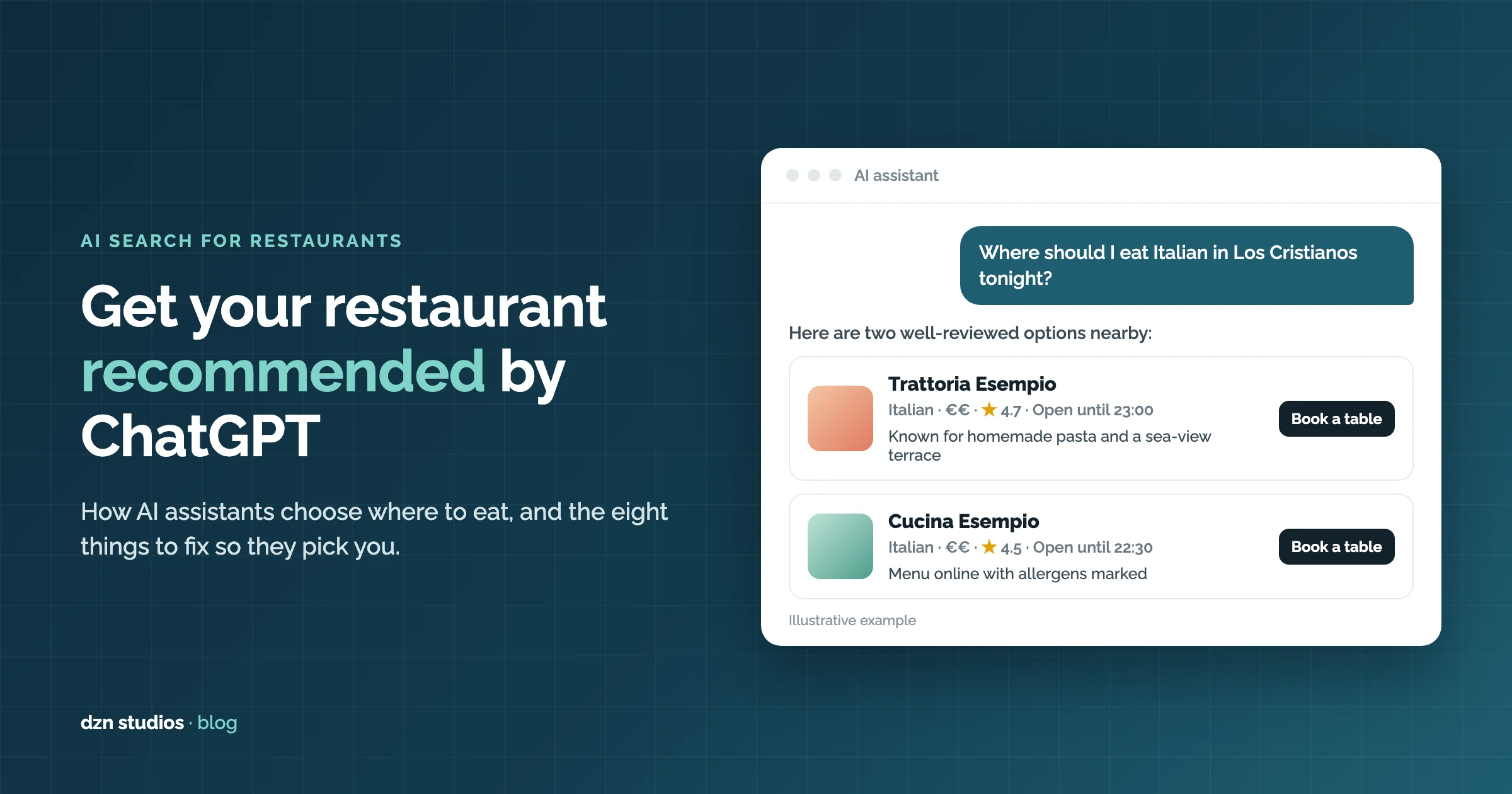
More and more people now ask an assistant instead of scrolling a list: “Where should I eat Italian in Los Cristianos tonight?”, “Good tapas near Manchester Piccadilly that takes bookings?”, “Dog-friendly restaurant with a terrace in Altea?”. The assistant answers with three or four names and a reason for each.
None of these assistants keeps its own restaurant guide. They search and summarise:
- ChatGPT searches the web when a question needs current or local information. OpenAI says it can use your location for local results such as restaurants, rewrites a “near me” question into a search such as “top restaurants” in your area, and can show availability from OpenTable, Resy or Yelp (OpenAI help: ChatGPT search).
- Gemini and Google’s AI answers sit on top of Google Search and Google Maps, so your Google Business Profile and your website carry most of the weight.
- Perplexity and Copilot also search the web and show their sources, which are usually restaurant websites, review sites and local guides.
The common thread is simple. An assistant recommends places it can describe with confidence: what you serve, where you are, when you’re open, roughly what it costs, what people say about you and how to book. If those facts are missing, buried in a PDF, or different on every site, someone else gets the mention.
What a plain text menu did for one restaurant
We host a simple online menu page for an Italian restaurant in Los Cristianos, Tenerife. It’s not fancy. It’s a menu written out as text on a web page, built years ago with a placeholder page title and no structured data at all.
Here is what Google Search Console shows for that one page over the last 16 months:
| What | Result |
|---|---|
| Clicks from Google | 455 |
| Times shown in Google results | 12,682 |
| Clicks from searches that didn’t include the restaurant’s name | 50, from 1,010 impressions |
| Average position for “restaurants in Los Cristianos” | 1.8 |
| Average position for “Italian restaurant Los Cristianos” | 1.9 |
| Average position for “Italian restaurant near me” (searched nearby) | 1.4 |
A real menu in readable text, on a page that clearly belongs to one restaurant in one place, was enough to sit at the top of local searches. The same page also turned up for searches in Dutch, French and Norwegian, because holidaymakers search in their own language.
The lesson: search engines and AI assistants can only recommend what they can read. A menu as text gives them your dishes, prices and cuisine in words they can match to a question. A PDF or a photo of the menu mostly doesn’t, and that page didn’t even have the structured data and questions section described below.
The eight-point checklist
- Complete your Google Business Profile. Correct name, address, phone, opening hours (including holidays), primary category such as “Italian restaurant”, a link to your menu page, a booking link, recent photos and a short description that says what you serve and where. This is the single biggest source for Google and Gemini.
- Put your menu on your website as text. Dish names, short descriptions, prices and the allergens in each dish. Keep it current: an assistant that quotes last year’s prices does you no favours.
- Add restaurant structured data. A block of schema.org code that states your cuisine, address, hours, price range, menu link and that you take reservations. See the example below.
- Answer guests’ questions on your own site. Write short, plain answers to what people ask before they book: average spend per head, terrace, children, dogs, vegetarian and vegan options, gluten-free, parking, accessibility, languages spoken. Assistants quote passages like these almost word for word.
- Keep your listings identical everywhere. Tripadvisor, TheFork, Yelp, Foursquare, Apple Maps (Apple Business Connect), Bing Places and local guides. Same name, address, phone and hours. Conflicting details make an assistant less sure about you.
- Collect recent reviews and reply to them. Assistants often summarise what reviewers praise (“known for its homemade pasta and sea views”). A steady flow of recent reviews matters more than a big old total.
- Make it easy to book directly. A booking button on your site and on your Google listing. If an assistant can point straight to a way to book, it’s an easier recommendation to make.
- Let AI crawlers in. Check that your
robots.txtand any firewall or bot protection don’t block search crawlers such as OAI-SearchBot, PerplexityBot and Googlebot. If they can’t read your site, they can’t cite it.
Restaurant structured data, with an example
Structured data sits in your page’s code and doesn’t change what guests see. A minimal version for a restaurant looks like this. Replace the details with your own and keep them identical to your Google Business Profile.
<script type="application/ld+json">
{
  "@context": "https://schema.org",
  "@type": "Restaurant",
  "name": "Trattoria Esempio",
  "servesCuisine": ["Italian", "Pizza"],
  "priceRange": "€€",
  "telephone": "+34 922 000 000",
  "address": {
    "@type": "PostalAddress",
    "streetAddress": "Calle Ejemplo 1",
    "addressLocality": "Los Cristianos",
    "addressRegion": "Santa Cruz de Tenerife",
    "postalCode": "38650",
    "addressCountry": "ES"
  },
  "openingHoursSpecification": [{
    "@type": "OpeningHoursSpecification",
    "dayOfWeek": ["Tuesday", "Wednesday", "Thursday", "Friday", "Saturday", "Sunday"],
    "opens": "12:30",
    "closes": "23:00"
  }],
  "hasMenu": "https://www.example.com/menu/",
  "acceptsReservations": "True",
  "url": "https://www.example.com/"
}
</script>
You can check it with Google’s Rich Results Test or the Schema Markup Validator. The menu itself can also be marked up with the schema.org Menu, MenuSection and MenuItem types, which is more work to keep in sync by hand.
How to test whether AI recommends you
Pick five or six questions a hungry customer would actually ask, and run them once a month in ChatGPT, Gemini and Perplexity. Write down who gets recommended and why.
- “Where should I eat [your cuisine] in [your town]?”
- “Best restaurant in [your area] for a birthday dinner for six”
- “Dog-friendly restaurant with a terrace in [your town]”
- “Good gluten-free options in [your area]”
- “[Your restaurant’s name]: is it worth it and how do I book?”
The last one matters as much as the others. If an assistant gets your hours, prices or booking details wrong, find where it got them from (Perplexity and ChatGPT usually show their sources) and fix that listing first.
Good to know: answers vary between people and between days, and depend on location and on whether the person is signed in. Treat one test as a snapshot. A trend over three or four months tells you far more.
Doing it without an agency project
Most of this checklist is a few hours’ work the first time, and the hard part is keeping it up to date: the menu changes, prices go up, the terrace opens for summer. That’s why we built MesaAI, our product for independent restaurants, bars and pubs.
- Your website and QR menu are built from a photo of your menu, as text, with allergens marked on every dish and menus in several languages.
- The menu, hours, location and booking link are published as structured data that Google and AI assistants can read, and updated the moment you change a dish from your phone.
- Commission-free bookings from your own site, and from Google Search and Maps through Reserve with Google once Google approves it.
- A guest book that remembers visits and birthdays, so you can invite the right people back.
MesaAI costs £79 a month plus VAT in the UK or €89 a month in Spain, with no lock-in and a 14-day free trial with no card. If you’d rather do it all yourself, the checklist above is everything we’d tell you anyway.
Frequently asked questions
How does ChatGPT decide which restaurants to recommend?
ChatGPT has no restaurant list of its own. When someone asks where to eat, it searches the web, using the person’s location if they allow it, and builds an answer from what it finds: restaurant websites, map listings, review sites and booking platforms. OpenAI says it can also show table availability from OpenTable, Resy or Yelp. Restaurants with clear, consistent and recent information in those places are the easiest to recommend.
Can I pay to be recommended by ChatGPT?
No. There is no paid placement in ChatGPT’s restaurant answers. What you can do is make your restaurant easy to find and easy to describe: a menu written as text on your own website, structured data, a complete Google Business Profile, consistent listings and recent reviews.
Does a PDF menu hurt my chances?
Usually, yes. Search engines and AI tools read a PDF or a photo of a menu far less reliably than text on a web page, and a PDF is awkward to open on a phone. Put the menu on your website as normal text, with prices and allergens, and keep the PDF only as a download if you want one.
What is restaurant structured data?
Structured data is a short block of code on your web page that tells search engines and AI tools the facts about your restaurant in a standard format (schema.org): name, cuisine, address, opening hours, price range, menu and whether you take bookings. It does not change how the page looks to guests.
How long does it take before AI assistants start recommending my restaurant?
There is no fixed timeline. Changes to your website and Google Business Profile can be picked up within days to weeks, but being recommended also depends on reviews and on how many other places mention you. Test the same prompts once a month and keep notes, so you can see the trend.
Do I need a new website to be recommended by AI?
Not necessarily. If your current site has your menu as text, your opening hours, your address and a booking link, you can add structured data and a questions section to it. If your site is a single image or a PDF menu, it is usually quicker to start again.