All Posts By

Mark

Marketing

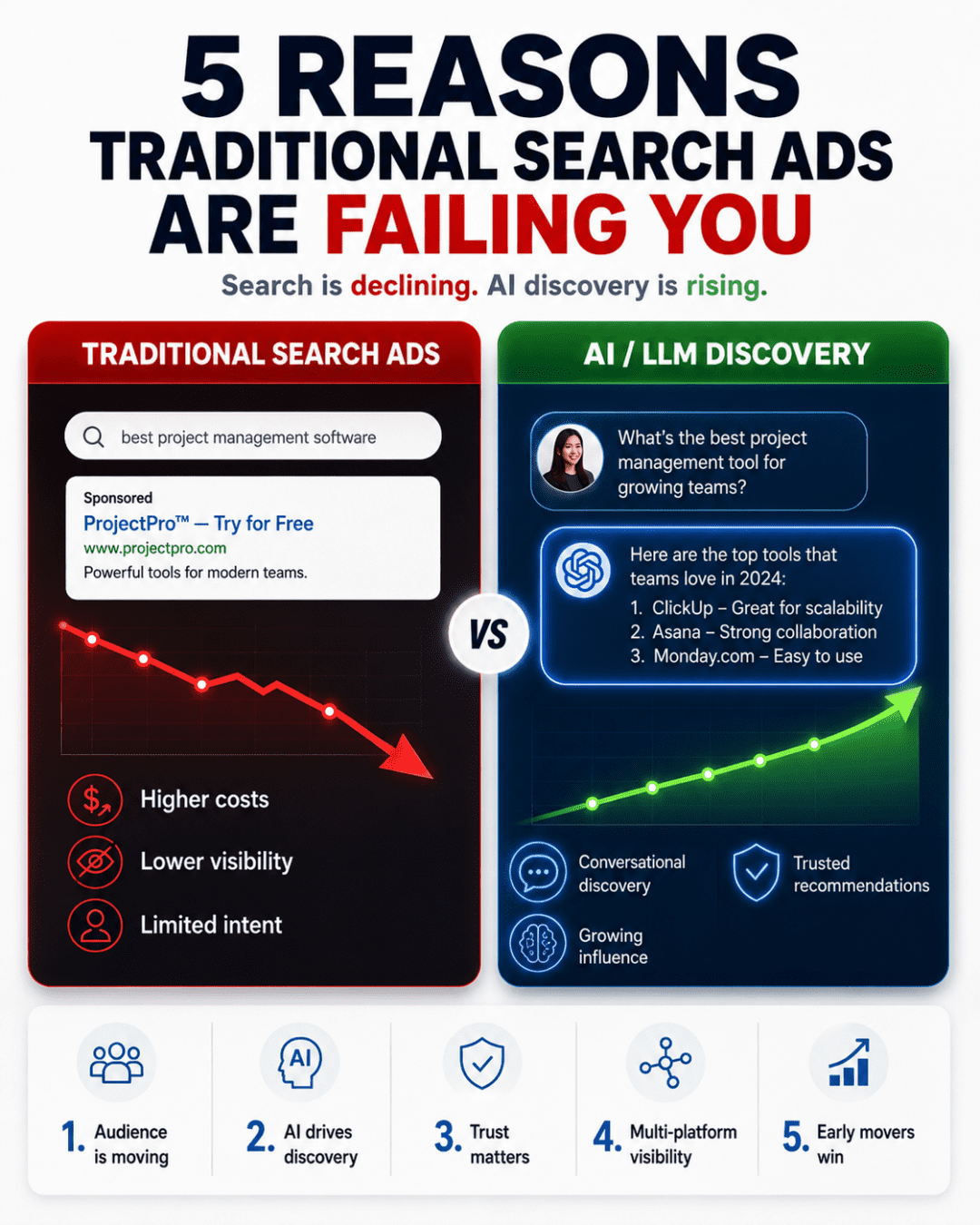
5 Reasons Traditional Search Ads Are Failing You

The era of “set it and forget it” Google AdWords is coming to a close. As AI tools like Gemini, ChatGPT, and Perplexity become the primary interface for information, the traditional search landscape is shifting from a directory of links to a direct-answer engine.
To survive this shift, we’ve developed a strategy that moves away from high-cost bidding on keywords and toward a Verification Loop for creative content. Here is how we are thinking about the future of digital spend.


The Strategy: The Organic-First Filter
The most expensive mistake a brand can make today is using paid media to “force” a bad creative to work. Instead of guessing which ad will resonate, we are now treating our organic social channels as a R&D laboratory.

  1. Low-Stakes Testing: Every piece of creative—whether it’s a 15-second video, an infographic, or a specific hook—is published organically first.
  2. The Statistical Outlier: We look for the “Alpha” content. If our average organic post reaches 1,000 people, but one specific video hits 8,000 without any help, that isn’t luck. It’s a market signal that the creative has high “shareability” and retention.
  3. Aggressive Scaling: We only move content into our paid ad manager once it has been verified by the audience for free. We aren’t paying for attention; we are paying to amplify attention we’ve already earned.

The logic: By the time a dollar of ad spend is touched, we already know the Click-Through Rate (CTR) potential is high.
The Rigorous Critique: Where This Logic Fails
While this “Organic-First” approach is our preferred model, we must be honest about its blind spots. If you follow this blindly, you will run into three major issues:
1. The Production Cost Paradox
“Organic is free” is a lie. High-volume content production requires significant labor, time, and gear. If you spend $5,000 in staff hours to produce enough content to find one “winner” that saves you $1,000 in ad waste, you haven’t optimized your business—you’ve just moved the expense from “Media” to “Operations.”
2. The Intent Gap
Social media is a discovery mechanism, but search (even AI-driven search) is an intent mechanism. A viral video about “How to fix a leaky pipe” creates brand awareness, but it doesn’t replace the effectiveness of a paid search result for “Plumber near me now.” We cannot assume that winning the “Attention” game automatically wins the “Conversion” game.
3. The Minimum Effective Audience
This strategy requires a baseline following to provide a valid sample size. If your organic reach is effectively zero, your “tests” are statistically irrelevant. You cannot verify a creative with a sample size of 15 views.
The Verdict: How to Move Forward
We believe the “Yellow Pages” era of search—where you simply bought your way to the top of a list—is being replaced by a Content Meritocracy.
Our Recommendation:

  • Don’t abandon search entirely. Use it for high-intent, bottom-of-funnel conversions where people are ready to buy now.
  • Adopt the Verification Loop for your brand awareness and top-of-funnel leads. Stop guessing what people like and let the data tell you.
  • Small-Scale Paid Testing: If you lack an organic following, use “Micro-Budgets” ($5/day) to simulate organic testing. Run five different hooks for 48 hours. The one with the highest engagement becomes your primary ad.

The goal isn’t just to be “organic.” The goal is to stop subsidizing boring creative with your hard-earned marketing budget.

Marketing

MrBeast’s YouTube Growth Formula: How to Get 10 Million Subscribers in 6 Months

MrBeast recently broke down his entire YouTube playbook — titles, thumbnails, hooks, retention, pacing, and quality strategy. This post distils every actionable tip into a single reference guide. No fluff, just the system.

Treat Your First 100 Videos as Paid Training

Your first 100 videos won’t go viral. Use them as deliberate practice by improving one specific skill per upload. Video two: tighten the script. Video three: learn a new editing technique. Video four: improve vocal delivery. Video five: apply a thumbnail principle you’ve studied. Video six: rework your titling approach. Colour grading, pacing, jokes, production value — every element is a lever. Stack 100 small improvements and you’ll be unrecognisable from where you started.

The Algorithm Is Just Your Audience

Every time you say “algorithm,” replace it with “audience.” YouTube’s system does one thing: it finds videos people click and watch, then shows them to more people. “The algorithm didn’t like my video” really means “the audience didn’t like my video.” Studying the algorithm is studying human psychology — what do people actually want to watch?

Titles: Under 50 Characters, Impossibly Interesting

Keep titles short, simple, and so curiosity-inducing that skipping feels painful. Above 50 characters, titles get truncated to “…” on mobile — viewers can’t click what they can’t read.

Use the extremity principle. “Fiji water sucks” is fine. “Fiji water is the worst water I’ve ever drank in my life” gets significantly higher click-through rates. But extremity is a contract — the video has to deliver on the extreme promise or you lose trust.

Real-world test: Read your title out loud. If someone hearing it wouldn’t immediately ask “wait, what happened?” — rewrite it.

Thumbnails That Haunt People

A thumbnail must be instantly understandable while scrolling and trigger enough curiosity that not clicking feels uncomfortable. The benchmark: will this image pop into their head before bed?

Example: “I rode a skateboard with 1,000 other people on it” — bodies falling off the sides, heading toward a massive ramp. You scroll past that, you’re going to wonder what happened. That lingering curiosity is the signal of a working thumbnail.

Practical tip: Shrink your thumbnail to the size it appears on a phone screen. If you can’t instantly tell what’s happening, simplify it.

The First 5 Seconds Are Your Second Thumbnail

Autoplay changed everything. Many viewers never consciously see your thumbnail — the video starts playing as they scroll. You now have to convince people to click and watch simultaneously in the opening seconds.

Pre-production checklist (in this order): What’s the thumbnail? What’s the title? What are the first 5 seconds? What are the first 30 seconds? Nail these before you film a single frame.

Match Expectations Immediately, Then Exceed Them

Your title and thumbnail set a promise. The first 10 seconds must confirm it. If your video is called “Tether Is a Scam” and you open by talking about something else, viewers leave instantly — it feels like bait. Echo the promise in your opening line, then exceed it with the content that follows.

The numbers: A 15-percentage-point difference in early retention — losing 20% of viewers in the first 30 seconds versus 35% — can be the gap between 2 million views and 10 million. That’s not a marginal gain. That’s a different career.

Kill Every Dull Moment

Find the most brutally critical people you know and have them watch your video. Every second they zone out is a second you need to cut or re-edit.

Practical fixes: If you’re talking to camera for 10+ seconds without a cut, add a B-cam or C-cam angle at the 3-second mark. The content is the same — but the visual refresh stops viewers from drifting. Apply this across your entire video: no static shot should run longer than it needs to.

Stay on Topic — No Detours

Give people what they clicked for. Tell them why they should keep watching. Then stay on the subject. “I’m going to eat $100 ice cream, but first…” followed by five minutes of birthday shopping is why people leave. Every second of off-topic content is a permission slip for the viewer to click away.

Quality Over Consistency

Getting 5 million views on one exceptional video is easier than getting 50,000 views across 100 mediocre ones. A rigid upload schedule forces you to ship work you know isn’t your best. Viewers notice, and the quality dip compounds — they become less likely to click next time.

The move: Upload half or even a fifth as often, but make every video so good the platform has to push it. One breakout video builds more audience than months of “good enough” uploads.

The Experience Loop: Turn One Viewer Into a Binge-Watcher

The most underrated metric: what was the viewer’s experience with your last video? If they loved it, they’ll click the next one. The goal isn’t “that was fine.” The goal is “that was incredible — what else does this person make?” High view counts come from binge-watching, not one-off clicks.

Practical test: After someone watches your latest video, would they voluntarily watch nine more in a row? If not, the video isn’t good enough yet.

Viral Ideas Don’t Require Money

One of MrBeast’s most-viewed videos — spending 24 hours in a desert — required a tent, some supplies, and a camera. It pulled 60–70 million views. Some of the highest-performing formats on YouTube (challenges, experiments, storytelling, commentary) cost almost nothing to produce. Budget is not the bottleneck — the idea and execution are.


Every tip above is directly from MrBeast’s recent breakdown. Bookmark this, apply one improvement per video, and start stacking. Drop a comment with the tip that changed how you think about your next upload.

Education, Mind

All the best educational websites

Hand-picked, working links across subjects — from full university courses to bite-size practice, AI/ML learning, and interactive tools. Everything here has been checked for 2026 and dead links pruned. Mix and match what fits your style.

Courses & MOOCs

  • Coursera — university courses and professional certificates (free audit on most).
  • edX — courses from MIT, Harvard, and hundreds of partners.
  • Khan Academy — K-12 through early college, practice and videos.
  • MIT OpenCourseWare — free MIT course materials.
  • OpenStax — peer-reviewed, free textbooks.
  • Saylor Academy — free, self-paced courses (some ACE credit eligible).
  • FutureLearn — short courses and online degrees.
  • Alison — free courses with optional paid certificates.
  • Class Central — meta-search across free and paid online courses.
  • freeCodeCamp — full coding curriculum and certifications.
  • The Odin Project — open-source web dev curriculum.
  • Harvard CS50 — legendary intro computer science course, free.
  • Stanford Online — free and paid courses from Stanford.
  • Open Yale Courses — full recorded Yale lectures, free.
  • OpenLearn — Open University’s free course library.
  • Open Culture — curated free courses, audiobooks, and films.
  • Udacity (free catalog) — smaller free library than it used to be, but still has solid intro tech content (most newer content is paid).

AI, Machine Learning & Data

  • DeepLearning.AI — short courses and specialisations from Andrew Ng’s team (free to audit most).
  • Hugging Face Learn — free, hands-on courses on LLMs, transformers, agents, and deep RL with certificates.
  • fast.ai — Practical Deep Learning for Coders, free and still one of the best ML starting points.
  • Google AI for Developers — Gemini, TensorFlow, and ML learning paths.
  • Microsoft Learn — free role-based paths for Azure, AI, data, and dev.
  • Kaggle Learn — fast, focused data science and ML micro-courses with notebooks.
  • Anthropic Courses — free courses on prompting, building with Claude, and agent design.

Video Learning & Lectures

Language Learning

  • Duolingo — gamified fundamentals.
  • Memrise — spaced-repetition vocab with native speaker video.
  • Busuu — structured courses plus community feedback.
  • italki / Verbling — 1-to-1 tutors with native speakers.
  • Babbel — bite-size lessons.
  • HelloTalk / Tandem — language exchange with natives.
  • Clozemaster — vocab in context via sentence cloze drills.
  • LingQ — read and listen with assisted transcripts.
  • AnkiWeb — the king of spaced-repetition flashcards.
  • Language Transfer — free audio courses with a thinking-method approach.
  • Refold — immersion-based language learning methodology and community.

Books, Texts & Audiobooks

  • Project Gutenberg — 75k+ public-domain ebooks.
  • LibriVox — free public-domain audiobooks.
  • Internet Archive — books, video, software, Wayback Machine.
  • Open Library — borrow millions of ebooks.
  • Standard Ebooks — beautifully formatted, carefully produced classics.
  • Bartleby Lit Hub — the original free public-domain literature and reference archive (note: the rest of bartleby.com is now a paid homework service).

Programming & Computer Science

  • Codecademy — interactive coding paths.
  • MDN Web Docs — authoritative web docs and tutorials.
  • web.dev — Google’s guide to modern web development.
  • CSS-Tricks — deep practical front-end articles and guides.
  • GitHub Skills — hands-on Git and GitHub courses.
  • Exercism — free coding practice with human mentor feedback, 70+ languages.
  • Roadmap.sh — community-built roadmaps for every dev role.
  • Frontend Mentor — real-world front-end challenges with designs supplied.
  • LeetCode / HackerRank / Codewars — coding practice and interview prep.
  • CS50 — legendary intro CS covering C, Python, and web.

DIY & How-To

Documentaries & Long-Form

General Knowledge, Quizzes & Research

Math Tools & Problem Solving

Science & Simulations

  • PhET — interactive physics, chem, bio, and math sims.
  • NASA — images, missions, curricula.
  • Google Scholar — scholarly search.
  • arXiv — open research preprints.
  • DOAJ — directory of open-access journals.

Music Theory & Lessons

Learn & Play Chess

  • Lichess — free play, puzzles, studies, no paywall, ever.
  • Chess.com Learn — interactive courses and lessons.

Words, Poetry, Etymology & Writing

Note-Taking & Knowledge Management

Cooking & Kitchen Science

Spotted a great site that should be here? Drop it in the comments and I’ll update the list.

Links that are no longer active or maintained (e.g., University of Reddit, LiveMocha, RubyMonk, BBC Languages) were removed, and modern standouts like freeCodeCamp, The Odin Project, Desmos, GeoGebra, Brilliant, Our World in Data, GitHub Skills, Kaggle Learn, and more were added.Spotted a great site that should be here? Drop it in the comments and I’ll update this list.

Webdesign

Detecting Malicious Codes Hidden Within WordPress Themes/Plugins

Step 1: Check for Virus and Trojans

After downloading the plugin or theme, the first thing you should do is to check for virus, trojans and other worms that you may not like it.

Go to VirusTotal.com and upload the zip file to check for virus.

If your file is infected you will get a red signal and if not then you can move on to next step.


Step 2: Check for unwanted codes in Plugins

Now lets check for unwanted codes in plugins using another WordPress plugin called Exploit Scannerwhich can be securely downloaded from WordPress website.

After installing it go to Dashboard > Tools > Exploit Scanner and run the scan. It will take some time to complete the scan and the time depends on number of plugins you have installed.

After the scan you can see a list of codes that are suspected. You can use the browser search function to find the plugins that you installed from outside WordPress repository.


Step 3: Check for Theme authenticity

Adding a backlink in a free theme is very common technique but you can easily find those exploited themes by the plugin called Theme Authenticity Checker (TAC).

Install the plugin and go to Dashboard > Appearance > TAC

You can see the list of themes installed with their authenticity result. It will give a warning if any encrypted links are found in a theme.

Marketing

100 Best Social Media Marketing Techniques

The following list covers pretty much everything you could possibly post on social media. From personal, to business-related, to promotional posts, this list will keep you inspired for a long time.

1. Quotes: Humorous, inspiring or motivational quotes always perform well.

2. Fill-in-the-blank posts (e.g. “If I had $1 million I would _________”)

3. Polls: While Facebook offers built-in polls, I find running them manually works best for boosting engagement (e.g. “Which of these books is your favorite?”)

4. Behind-the-scenes photos: Take candid shots of yourself, your employees, or snap a shot of your office or workspace.

5. Statistics or data: Share new, relevant industry statistics (these perform great in terms of retweets and shares)

6. Post a link to an old blog post: There’s nothing wrong with recycling, and old posts will gain new engagement, extending their life.

7. Questions: Pose simple, basic questions that your followers can answer quickly.

8. Link to a guest post: Share (or re-share) a link to a post you contributed to another site. If you’re interested in learning how and why guest blogging should be part of your online strategy.

9. Post a branded image: Post a funny or inspirational image with your logo or website URL on it.

10. Infographics: Find an infographic your followers would appreciate.

11. Product photos: Work best on sites like Pinterest or Instagram. Think about how you can add a unique angle to the shots (e.g. an employee actually using the product, a customer-submitted photo, etc.).

12. Photos that have nothing to do with your products or business:Instead, they convey the feeling behind your brand. For instance, how Starbucks shares photos on Instagram to associate their brand with sunshine, warmth, and good friends (not just coffee).

13. Behind-the-scenes product shots: Photos of your products being manufactured or sourced.

14. Link to a controversial blog post: There’s nothing better for eliciting engagement than a little controversy.

15. Ask for input on your products:Your followers will love giving their thoughts on how to improve your products.

16. Let Pinterest inspire you:Pinterest is a goldmine in terms of finding beautiful images you can share (particularly images with quotes). Just be sure to give proper credit.

17. Share a helpful resource: If you’re truly concerned about sharing the most useful info with your followers, don’t be afraid to direct them to other people’s valuable content (not just your own).

18. Post a Slideshare presentation:If you want to find one that’s already proven itself to be popular, go to the ‘Trending in Social Media’ section at the bottom of the Slideshare homepage.

19. Link to a case study: Case studies are great for delivering useful info in a way that’s often more palatable and actionable than a standard blog post.

20. Link to an industry-related IFTTT recipe: Haven’t heard of IFTTT(short for If This Then That)? You need to check it out. Then share a link to a recipe your followers would find useful.

21. Ask for reviews or testimonials:Eliciting reviews from fans or followers is one of the best ways to get testimonials you can use as social proof on your website.

22. Fan photos: Search for hashtags related to your business or products, and share a customer photo on Facebook, Instagram or Pinterest.

23. Recommend a tool: Share a (preferably free) tool or resource you think your followers would find useful.

24. Share a favorite book: Similar to #23, share a book recommendation your fans or followers would appreciate.

25. A day in the life post: Give a recap of a typical day in the life of a graphic designer, author, CEO, etc.

Pages: 1 2 3 4

Social Media
Marketing

The Trick’s of Writing Killer Social Media Headlines. Copy & paste-able examples.

The key to writing better post headlines/subjects is in understanding why people take action. Great headlines usually fall into 3 categories.

  • Social Proof
  • Threat
  • Gain


Social Proof

Smart marketing almost always incorporates social proof, which basically is people that make choices based on other peoples choices.

Look at these 3 examples.

  1. Why 1000’s of Mancunians will gather in Victoria station on December 10th.
  2. What Victoria Beckham is eating as a midnight snack?
  3. The new wordpress Social Media/SEO plug-in everyone is talking about.

The 1st and 3rd headlines are common social proof headlines while the 2nd is a Piggyback headline. The headline piggybacks off of the popularity of Victoria Beckham.


Threat

Often, people will be more motivated to take action to avoid pain than gain benefit.

Well crafted threat headlines, promise that you’ll be able to protect yourself from a threat if you take action.

Examples..

  1. The big lie hiding in your flat rental contract.
  2. Warning, do not buy another gram of cat food until you read this!
  3. Is your mattress harmful to your health?


Gain

Now the easiest way to craft a headline is to simple state the benefit.

Such as..

  1. Who wants quiet, well-behaved kids?
  2. Give me 5 minutes and i’ll show you how to learn any language fluently in 3 months.
  3. How we acquired 100k early bird signups with a 0 marketing budget.


Some copy & paste-able headlines for you to use as you wish!


Social Proof Headlines

• Here is a Method That is Helping [world class example] to [blank]
• [blank] Hacking With [world class example]
• Savvy|Smart|Sexy People Do XYZ
• Why I [blank] (And Maybe You Should Too)
• [Do something] like [world-class example]
• The [desired result] That [world class example] Is Talking About
• Join [impressive number] of Your Peers that [take desired action]
• [desired result] Like A [desired group or person]
• How [impressive number] Got [desired result] in [time period]
• Like [world class example] You Can [desired result]
• [world class example] Reveals Ways To [desired result]
• Why [impressive number] of People are [taking desired action]
• A Simple Way To [desired result] That Works For [desired group/person]
• How to [desired result] Like [world class example]


Threat Headlines

• Do You Recognize the [number] Early Warning Signs of [blank]?
• If You Don’t [blank] Now, You’ll Hate Yourself Later
• I’ve Lied to You for [time period] Now
• The Biggest Lie In [your industry]
• X Shocking Mistakes Killing Your [blank]
• Don’t Try [blank] Without [desired action] First
• [blank] May Be Dangerous To [something precious]
• [blank] May Be Causing You To Lose Out On [desired result]
• At Last, The Secret To [desired result] Is Revealed
• The [blank] Risk Hiding In Your [blank]
• Why you shouldn’t [do what I desire them to do]
• Why [blank] Fails and [blank] Succeeds
• Do Not Try Another [blank] Until You [take desired action]
• The Ugly Truth About [blank]
• What Your [blank] Won’t Tell You And How It Can Save You [blank]
• What Everybody Ought to Know About [blank]
• Your [blank] Doesn’t Want You To Read This [blank]
• The Sooner You Know [blank] The Better


Gain Headlines

• Where [desired result] Is And How To Get It
• Discover The [desired result] Secret
• [blank] Your Way To A [desired result] You
• To People That Want To [desired result] But Can’t Get Started
• You, a [desired result]
• Stop [undesired result]
• You Too Can [desired result] in [time period] with [blank]
• How To Become [desired result] When You [something challenging]
• There’s Big [desired result] In [blank]
• You Don’t Have to Be [something challenging] to be [desired result]
• Little Known Ways to [blank]
• How to turn [blank] into [desired result]
• How To Build a [blank] You Can Be Proud Of


Bookmark this page for when you are in need of headline inspiration and watch your social media traffic boom.

Marketing, Webdesign

Setup an HTML email signature on your iPhone.

  1. Send Yourself an Email with Your Signature

    Send yourself an email with your desired email signature. Obviously you will need a currently operational signature from another mail program on your computer.

    If you don’t yet have an HTML signature, here is some example code to get you started.
    (A separate post on how to do this will be coming soon)

  1. Copy Your Signature to the Clipboard

    Tap and hold your finger on some part of the email body that is not a link. Drag the little knobs at the end to surround your signature as best as possible. When surrounded, tap “Copy”.IMG_5647

  2. Paste Your Copied Signature

    Go Settings > Mail > Contacts > Calendars > Signatures. In here paste your signature for all email accounts, or for each one if you would prefer. Tap twice in the empty box and select “Paste” from the popup menu.

  3. Shake to Undo

    Apple tries to “enhance” the signature when you paste it, causing it to become all messed up. Luckily, you can undo these “enhancements”. Shake your device and press “Undo Change Attributes”.

  4. Send email

Mind

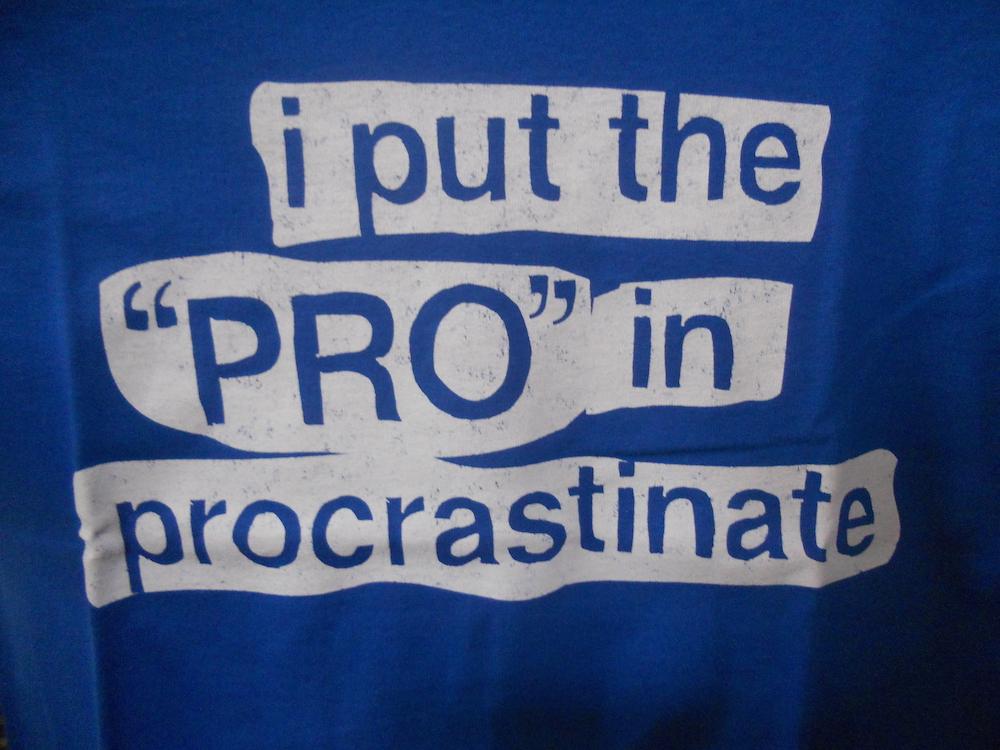
How to actually beat procrastination

Your first thought as you read this will likely be, “I’ll read this later.”

Don’t! Read this now!

It’ll take you like 30 seconds and save you countless hours.

Try this super simple technique for beating our favourite nemesis. Procrastination.

Try this now:

Decide what is the most important thing you have to do today.

Now just do the first little part of it — just the first minute, or even 30 seconds of it. Getting started is seriously the only part that matters.

It’s a little brain hack, once we start a task we have been dreading a new emotion takes it’s place in which we feel incomplete that we haven’t finished it! The problem is just getting started.

Emmetts Law: The dread of a task uses up more energy than actually doing it.

Clear away your distractions. Turn everything off. Close all programs. So it’s just you and your task.

Listen to your mind, if it starts to have sway to other tasks. You might have urges to check email or Facebook or Twitter or any other distracting nonsense. You might want to play a game or make a call or do another task. Just notice these urges.

Don’t move. Notice the urges, but sit still and let them pass. Urges build up in intensity, then they pass, like a wave. Let each one pass.

Notice also your mind trying to come up with reasons for not doing the task. Let these self-rationalizing thoughts pass also.

Now just take one small action to get started. As tiny a step as possible.

Once you get started, the rest will flow.

design

Creative Packaging Design At It’s Best.

We are surrounded with packaging… From Cereal boxes on waking up to toothpaste tubes at bed time. The majority of consumers judge the quality of product by it’s packaging and with so many products out there, packaging design is important. To be truly effective packaging today has to break away from the standard rules and styles to give the product a unique edge to make it stand out. Here are some wonderful examples.

Just Laid Eggs Design Packaging

Just Laid Eggs

Pencil 53 Design & Packaging

Pencil 53

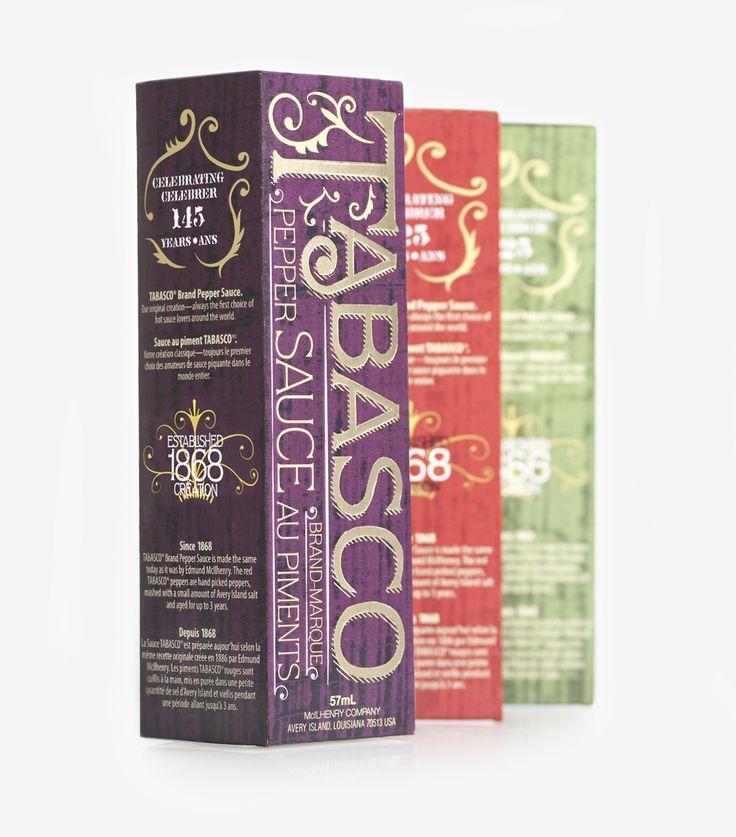
Tabasco Pepper Sauce Design & Packaging

Tabasco Pepper Sauce

Trident Teeth Friendly Gum

Trident Teeth Friendly Gum

Kroger Pretzel

Kroger Pretzel

Spaghettini Rebolver Pasta Packaging


Spaghettini Rebolver Pasta Packaging

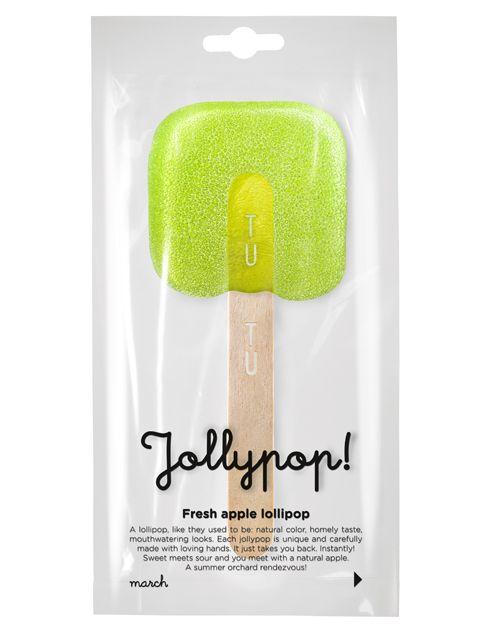
Jollypop

Jollypop

Quartz Champagne

Quartz Champagne

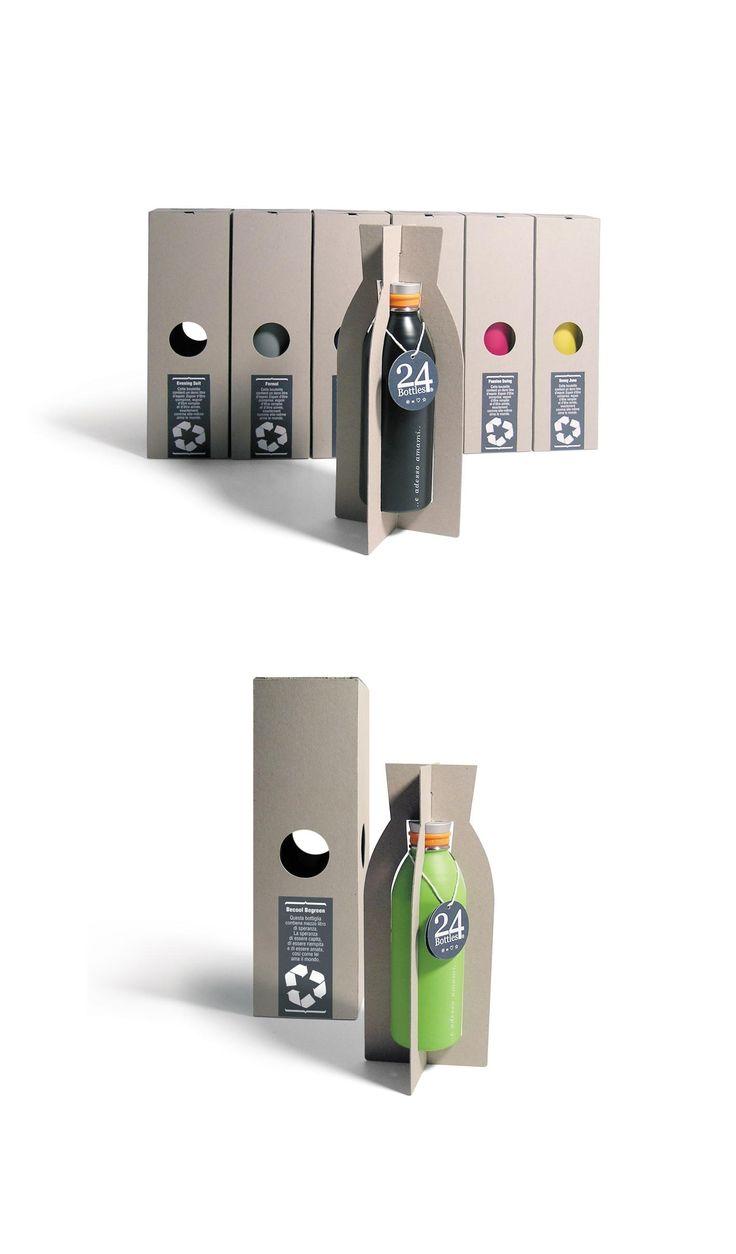
24 Bottles

24 Bottles

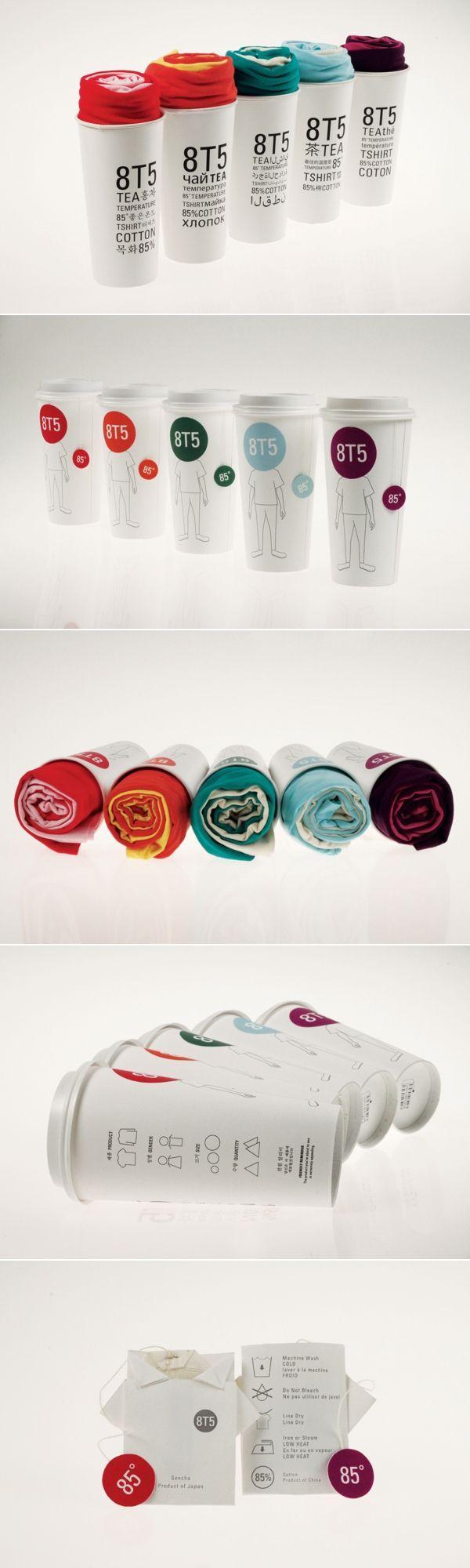
8T5 'TEA' Shirts

8T5 ‘TEA’ Shirts

Wally Home

Wally Home

Bang&Olufsen Play

Bang&Olufsen Play


Bazaar Pizza Bases

Bazaar Pizza Bases

Paradise Gourmet Club

Paradise Gourmet Club

Rotating Ring Presentation Case

Rotating Ring “Blooming Flower” Presentation Case

design

The art behind the art of logo design

The creation process of dzn’s hawk logo.

Brief
We sat down to brainstorm ideas and pretty much hit upon a hawk straight away. It represents our mantra perfectly.. ‘be seen’.

Research
We studied some images of hawks & videos of them in-flight, just to get a feel for this awesome animal and a basis on which to start sketching out some ideas.

hawk dzn logo research

Sketch time
After a few initial doodles, we start to refine our favourite concepts.


Selection time
We chose the logo for it’s simplicity, elegance, scalability, B&W & would work well for a landing animation.
(check out the menu)

Logo doodles hawk dzn


The crafting of the logo on the mac begins.
Using Geometric, golden-ratio principles, we forge out the shape of the hawk, to create a visually appealing shape. Numbers can be beautiful!

Once satisfied, we settle on this logo. Then we fan through various colour options.

Dzn Hawk Logo Creation Process

Et Voila
Like it?

dzn logo